

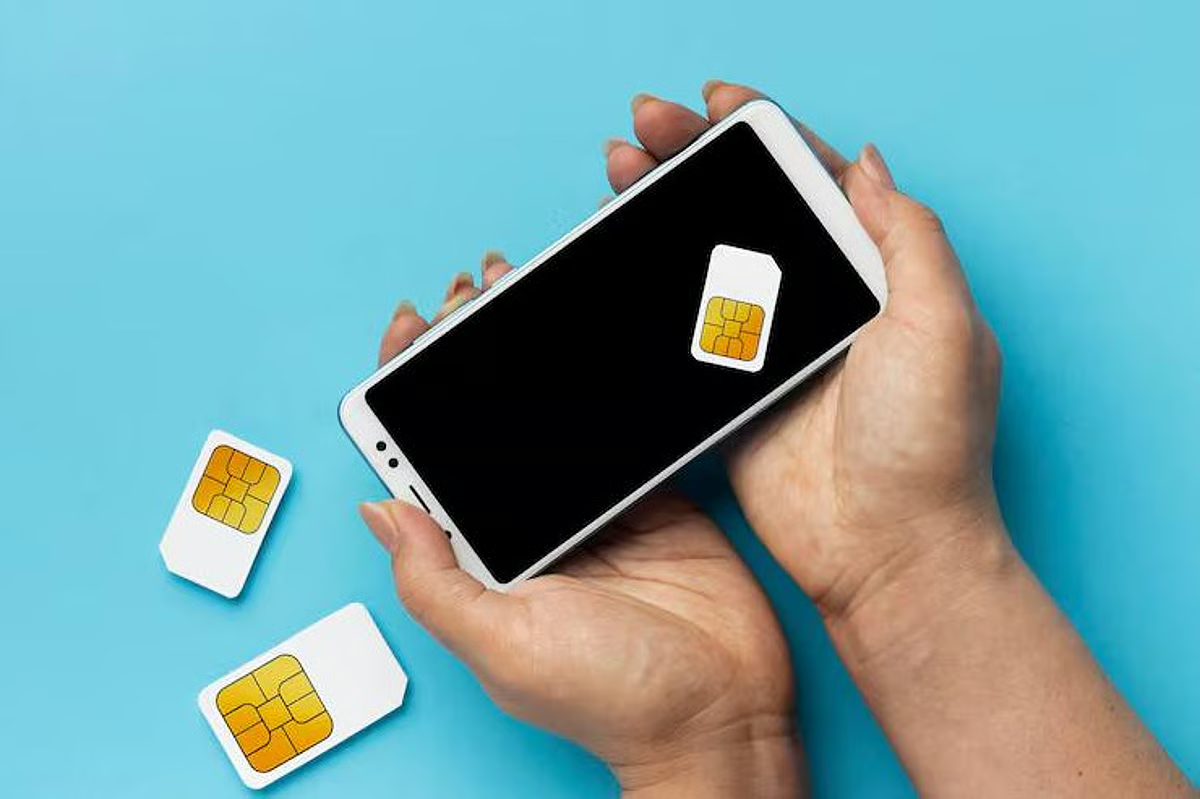
When cellular networks were designed decades ago, phone numbers served a singular purpose: routing voice calls and text messages to a specific physical antenna. They were never engineered to function as cryptographic proof of identity. Yet over the last fifteen years, consumer technology quietly transformed that ten-digit string into the de facto master key for the modern internet. Financial institutions, cloud platforms, social networks, and email providers routinely treat possession of a phone number as definitive proof of account ownership.
A SIM swapping attack—also known as SIM hijacking or port-out fraud—exploits this architectural mismatch. Rather than hacking your device directly, an attacker targets the wireless carrier to divert your cellular connection to a SIM card or eSIM under their control. Once the transfer completes, your phone goes completely dark, while the attacker receives every one of your incoming phone calls and text messages. Within minutes, automated password reset links and SMS verification codes allow them to dismantle your digital footprint from the inside out.
Defending against this threat requires understanding the vectors attackers use, closing the administrative loopholes offered by wireless carriers, and systematically stripping your mobile number of its administrative power.
How an Attack Unfolds Behind the Scenes
SIM swapping relies far less on sophisticated software exploits than on social engineering, compromised personal data, and insider vulnerability. The process usually begins with reconnaissance. Attackers scour dark web repositories of past data breaches to assemble a dossier containing your full name, physical address, date of birth, and the last four digits of your Social Security number.
Armed with this information, the attacker contacts your mobile carrier via customer support or walks into a retail branch pretending to be you. They present a manufactured emergency—a lost phone while traveling, a damaged device, or a rushed hardware upgrade—and request that your phone number be provisioned onto a blank physical SIM card or an eSIM profile.
If the customer support representative accepts the forged identity credentials, the carrier’s provisioning system updates its network registry. Your mobile phone instantly loses its connection to the cellular network, dropping to an emergency-only state. At that moment, the attacker places your number into their own device.
In more organized operations, criminal syndicates bypass customer verification entirely by bribing or recruiting low-level retail store employees. These insider threats can execute unauthorized SIM swaps through internal dealer portals in exchange for cryptocurrency payments, rendering standard verification questions useless unless robust account-level restrictions are already established.
Locking Down Your Wireless Carrier Account
The first perimeter of defense exists at the carrier level. While wireless providers have historically treated customer convenience as a higher priority than defensive security, major US networks provide several opt-in safeguards that dramatically reduce the likelihood of unauthorized transfers.
Establish a Dedicated Account PIN
Never confuse your phone’s lock screen PIN with your wireless account PIN. Every carrier allows account holders to set a dedicated customer service passcode required for any administrative changes, plan adjustments, or hardware reassignments.
This PIN must be completely randomized and unique. Avoid using birth dates, family anniversaries, digits from your Social Security number, or simple ascending sequences. Treat this passcode with the same level of care you would give to a master banking password. If you manage a family plan, ensure that other authorized users cannot unilaterally reset or bypass this PIN without multi-party verification.
Enable Port-Out Protection and Transfer Locks
Port-out fraud occurs when an attacker transfers your number away from your current wireless carrier to an entirely different provider. Because cross-carrier transfers rely on automated clearinghouse systems, reversing a completed port can take days or even weeks.
Major carriers offer specific transfer-blocking features—variously named Port Freeze, Number Lock, or Transfer PIN requirements. When enabled through your carrier account portal, the system automatically rejects any automated port request until you log in using your primary account credentials and explicitly disable the lock. This single barrier halts the vast majority of automated and remote transfer attempts.
Restrict Retail and Web-Based SIM Changes
Whenever possible, access your carrier account settings to disable online self-service SIM swaps. If your carrier supports it, request an administrative restriction that requires any SIM or eSIM reassignment to be executed strictly in a physical corporate store with a government-issued photo ID. While this introduces friction if you ever lose your phone, it eliminates the remote phone-support vector that attackers exploit most frequently.
Eliminating SMS from Your Authentication Architecture
Hardening your carrier account makes a SIM swap significantly harder to execute, but the only permanent solution is removing SMS verification from your security profile altogether. As long as a service uses text messages to authenticate your login or reset your password, your security posture remains dependent on telecom retail policies.
The Problem with SMS Verification
Short Message Service is an unencrypted, legacy telecommunications protocol. In addition to SIM swaps, SMS traffic is vulnerable to interception through cellular routing protocol vulnerabilities, unauthorized access to telecommunications aggregators, and malicious mobile applications. Using SMS for multi-factor authentication (MFA) creates an illusion of security while leaving your critical infrastructure exposed to an out-of-band takeover.
Transition to Time-Based One-Time Passwords
Your primary defensive upgrade is switching from SMS verification to an app-based authenticator that implements Time-Based One-Time Password (TOTP) algorithms. These applications generate dynamic, six-digit codes directly on your local hardware using a shared secret cryptographic key.
Because TOTP codes are generated offline on your physical device, an attacker who hijacks your phone number receives nothing useful. Even if they route all of your incoming text messages to their own handset, they cannot produce the dynamic code generated inside your authenticator app.
Store these secrets inside reputable, encrypted authenticator applications or zero-knowledge password managers. When setting up TOTP, ensure that you securely store the one-time backup recovery codes in an encrypted, offline location.
Deploy Hardware Security Keys for Critical Accounts
For your central email account, password manager, and primary financial services, hardware security keys represent the absolute ceiling of consumer authentication security. Devices built on the FIDO2 and WebAuthn standards use public-key cryptography to verify logins.
Hardware keys provide cryptographic origin binding. This means the key only authenticates a session if the browser domain precisely matches the service being accessed, completely neutralizing both phishing attacks and SIM-swap account recovery attempts. Even if an attacker possesses your username, your password, and your hijacked phone number, they cannot authenticate without physical possession of the hardware key.
Compartmentalizing and Masking Your Phone Number
Reducing your exposure requires treating your direct cellular number as private infrastructure rather than a public business card. Compartmentalization prevents an attacker from connecting your online identity to the specific carrier account running your physical SIM.
Deploy Secondary Virtual Numbers
For services that mandate a phone number during registration, avoid providing your direct mobile line. Instead, utilize virtual numbers provided through Voice over IP (VoIP) platforms or privacy-focused forwarding services.
Because VoIP numbers are bound to software accounts protected by strong passwords and hardware-backed multi-factor authentication, they cannot be transferred via traditional cellular carrier SIM swaps. If an attacker identifies your VoIP number, they cannot call a mobile carrier to seize the underlying connection.
Reserve your true carrier number strictly for direct communications with trusted personal contacts. The fewer online databases that associate your real cellular line with your legal name, the lower your risk of automated targeting.
Remove Personal Information from Public Data Brokers
Data brokers systematically scrape municipal databases, real estate records, and social platforms to build searchable profiles linking your mobile number to your physical address and relatives. Attackers use these directories to pass identity challenges posed by carrier support representatives.
Conduct routine audits of popular public-records directories and submit opt-out requests to have your personal records expunged. Minimizing your searchable footprint strips attackers of the biographical background material required to impersonate you convincingly.
Cleanse Social Media Profiles
Never display a personal phone number on any public-facing social media profile, professional networking page, or personal website. Review the privacy settings on platforms like LinkedIn, Instagram, and Facebook to ensure that users cannot discover your account by searching for your mobile number. Furthermore, eliminate any public posts containing personal details—such as birth dates, pet names, or graduation years—that are commonly repurposed as answers to security questions.
Early Warning Signs of an Ongoing SIM Swap
Recognizing a SIM swap in its opening moments is critical to stopping account takeovers before financial damage occurs. The window between the initial carrier compromise and the subsequent account breaches is typically measured in minutes.
The most unmistakable symptom is an unexpected and complete loss of cellular connectivity. If your device suddenly displays No Service, Searching, or drops into an SOS Only state in an area where you normally have strong, reliable reception, treat it as a potential security incident immediately. Attempting to place a standard phone call will typically yield an automated message stating that the device is no longer provisioned on the network.
Another critical indicator is receiving unprompted carrier notifications via email or push alert stating that your SIM card has been changed, your account password was modified, or your line was transferred to a new device.
Finally, watch for sudden security alerts across your active applications. If you are abruptly logged out of your email inbox, banking apps, or social media accounts simultaneously, an intruder is actively leveraging password recovery mechanics against your credentials.
Immediate Response Protocol for a Compromised Line
If you confirm that your phone number has been redirected without your consent, execute the following actions immediately:
-
Connect to a Secure Wi-Fi Network: While your cellular voice and data connections are inactive, your device’s Wi-Fi interface remains functional. Connecting to a trusted home or office network allows you to communicate, check security dashboards, and access web services that do not rely on cellular data.
-
Secure Your Primary Email Inbox: Your email account is the administrative control center of your digital life. If an attacker controls your email, they can approve password resets for every secondary service you use. Log into your email provider via Wi-Fi, change your password immediately, terminate all other active web sessions, and confirm that your recovery phone number and backup email addresses have not been altered.
-
Contact Your Carrier’s Dedicated Fraud Department: Using a landline, a secondary phone, or a VoIP client, call your carrier’s primary support line and state clearly that your number has been hijacked via an unauthorized SIM swap. Request immediate transfer to the carrier’s dedicated fraud resolution group. Demand that the line be placed on an emergency suspension and restored to your verified hardware.
-
Notify Financial Institutions: Contact your primary banks, credit card issuers, and investment platforms. Inform them that your mobile number is compromised and request that they place a temporary freeze on outbound wires, electronic fund transfers, and password modification requests until your credentials can be re-verified.
-
Establish Credit Freezes: Place security freezes across the three major credit bureaus: Equifax, Experian, and TransUnion. This prevents attackers from leveraging your hijacked phone number and compromised personal details to open fraudulent credit lines or loans in your name.
Maintaining long-term resilience requires a shift in how you view consumer technology. Your mobile phone is a computing terminal, but the carrier line connecting it to the network was never built to hold the weight of your digital identity. By locking down your carrier settings, eradicating SMS authentication from your most sensitive accounts, and isolating your primary communication channels, you remove your mobile number from the target list and neutralize the power of the SIM swap entirely.